Voting & Awards
Set up People's Choice voting, configure rules, and view results — in as many categories as you'd like.
⏱ About 4 min readSetting Up Voting
Any client can enable People's Choice voting for their parade, with as many award categories as they want. Common categories include Best Interior, Best Exterior, Best Overall, Best Curb Appeal, and Best Kitchen.
Attendees who vote visit more homes — because they need to see multiple homes before being able to cast a meaningful vote. Voting is one of the most effective tools for increasing average home visits per ticket.
Voting Settings & Rules
Configure voting behavior in Parade Settings in the Web Manager sidebar. The following options are available:
| Setting | What it controls |
|---|---|
| Minimum homes to visit before voting | Set the number of homes an attendee must scan their ticket at before the voting section unlocks. This ensures voters have actually experienced the parade before choosing winners. |
| Days voting stays open after the parade ends | Voting doesn't have to close on the last day of the parade. Setting this to 1–3 days gives attendees who finished touring on the last day time to cast their votes. |
| Restrict votes to visited homes only | When enabled, attendees can only vote for homes they actually visited (where their ticket was scanned). Disable this if you want all homes to be eligible regardless of whether the attendee visited them. |
Voting settings update immediately. If you want to extend voting after the parade ends, just update the "days open after parade" setting before the current window closes.
Voting windows — like all date/time settings — are based on Mountain Time, since ParadeSmart servers are in Utah. Adjust accordingly for your local time zone.
Viewing Award Results
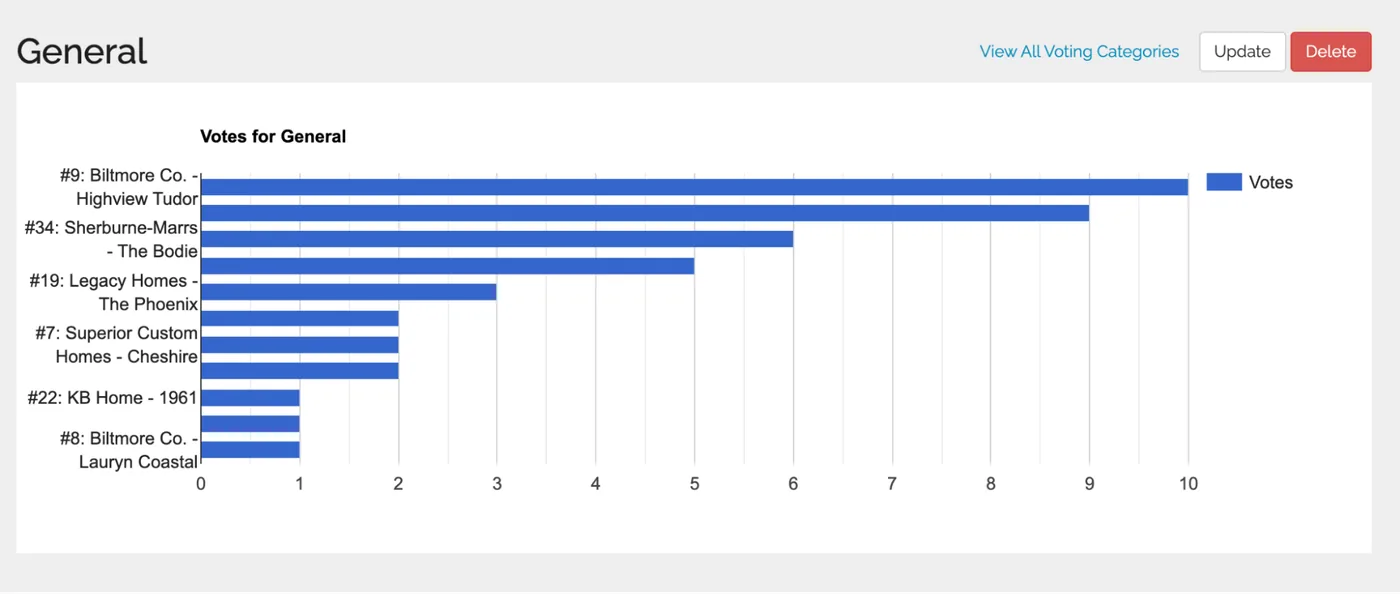
You can check live vote counts at any time during the parade — not just after it ends. Results are shown as a graph with counts per home for each category.
- 1Go to Advanced → Voting Categories in the Web Manager
parade.velocitywebworks.com/manage/awards/ - 2View the full list of categories and total votes per category
- 3Click any category name to see a breakdown by home
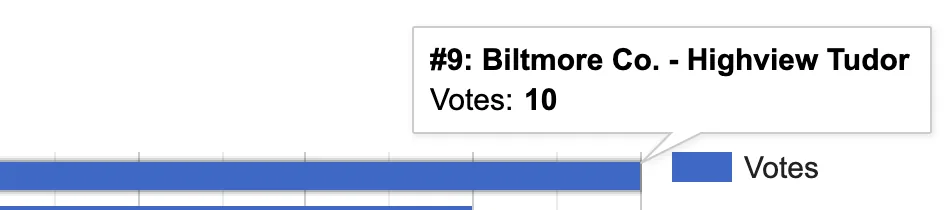
A graph shows the vote count for each home. Hover over any bar or line to see the exact number of votes.
If a home doesn't appear in the results for a category, it received zero votes for that category — it's not a data error.